How to Sign In With Google in Floor Is Lava
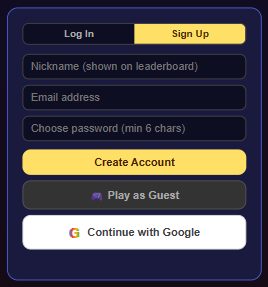
Tap Settings > Account > Continue with Google and confirm the popup — it's live now on the web version. On Android, Google sign-in is on its way but isn't available yet.
Android players: the in-game message currently reads "Google Sign-In arrives in the
next app update. (Live now on the web version.)" If you're on the Android app, use
email sign-in for now.
What it does
Google sign-in lets you use your existing Google account instead of creating a separate email and password. If you're currently playing as a guest, tapping "Continue with Google" links your Google account to your current save — your uid stays the same, so nothing resets. If you already have an email-based account and want to add Google as another way in, use "Link Google Account" from the same panel instead.
How to sign in with Google (web)
- From the home screen, tap the gear icon (Settings).
- In the Account panel, tap Continue with Google (guests) or Link Google Account (existing email accounts).
- Choose your Google account in the popup window and confirm.
- You're signed in — your existing coins, best score, and story progress come with you.
Already have progress on that Google account? If the Google account you choose already
has its own saved progress from a previous session, Floor Is Lava shows a comparison screen so you can
pick whether to keep your current device's progress or the account's existing progress.
Tips
- On Android, Google Sign-In isn't live yet — the app tells you it's "coming in the next update," so use email sign-in in the meantime.
- Linking Google as a guest keeps your existing progress — you won't be starting over.
- You can have both email and Google linked to the same account, using "Link Google Account" once you're already signed in with email.